Friday, July 26, 2013

ATPE Summitt

Part of the Irving ATPE members after the banquet
This past week I was able to attend the ATPE Summit.  ATPE is the Association of Texas Professional Educators.

I have been a member of this organization for 11 years.  I joined because I believe that it is important to be a part of an organization.  I always knew that ATPE had lots of benefits such as offering up to $8 million dollars in professional liability insurance, lots of discounts (for hotels and other fun activities) and is member run.

So, I paid my dues every year and knew I was covered.. but then I attended ATPE Summit and I realized how much more ATPE does for me as an educator.  This year I also am taking on more at the local level as I am now the Vice President of Irving ATPE.

I checked in a day early because I was honored to be one of the 3 finalists for the Elementary ATPE Teacher of the Year (I even had a chance to meet up with @classroom_tech and his lovely wife!).  The first day had an awesome opening keynote Edward James Olmos and then breakout sessions.  I of course hit up the technology ones and was not disappointed with Lori Gracey! I also had a chance to listen to Dr. Ruby Payne and Anne Grady  It was a great day of learning (and hanging out with my Irving friends)  The second day was a chance for me to learn more about my role as the Vice President of our local unit.  I also did a little bit of virtual work for Podstock this day.  The first 2 days were great days of learning, but it was Friday that impressed me the most!

So, as I have mentioned ATPE is member run and it also offers supports to teacher, principals, bus drivers, cafeteria workers, janitors, paraprofessionals, and substitutes.  Friday was the House of Delegates.


  • ATPE members are represented at the Texas State Capitol and state agencies by an experienced team of professional lobbyists that includes former legislative staffers and a former state senator. ATPE also advocates on your behalf at the federal level on issues such as Social Security and the Elementary and Secondary Education Act (No Child Left Behind).("ATPE Benefits website)

How powerful to sit in the audience, vote for different items brought to the table and have a VOICE!  It was so smoothly run, people had a chance to argue for or against topics and share their stories.  As I watched it made me realize how happy I am to be a part of an organization that really supports educators, because it is run by educators.

I look forward to growing in the Irving ATPE, and who knows... I might just start to run for higher positions.
Thanks ATPE Region 18 for all the goodies

Getting ready for the keynote

Robin and I at the banquet

Julie went with me on a photowalk!  I was participating in the #podstockphotowalk virtually

Before the banquet with Doug Rogers and Robin


Monday, July 15, 2013

Magnificent Monday- Rourke's Complete History of our Presidents Encyclopedia

There is only a little bit of time left in Monday, but I wanted to get this one in!  I loved the book set over Sound Adventures, but working with grades kinder-5th grade I was super excited about the set of Encyclopedia's that came in.

4 of the 14 Encyclopedias from Rourke Educational Media 
Each of the books has beautiful pictures, graphics and a plethora of great information.  Each president is introduced with their presidential portrait along with basic information about them.  The encyclopedia then goes into further detail about the president and about the term.  It also includes information about each First Lady.

What I love about these books:
1. So often our students go directly to the computer for information and research.  This is going to be a great tool to work on referencing and finding information (and right at their fingertips!)
2. I love a good table of contents.  I have found it is hard for some students to know how to use the table of contents correctly.  Love this reinforcement!
Great Table of contents
3. The Words to Know that is dispersed throughout each book.  Not only are they important words that need to be focused on, but they also have the pronunciation next to it.
Words to Know
4. The Timeline in each book not only has information, but also pictures to coincide with the information.  Another great tool for students (and teachers) to use.
Timeline in each book
5. The Cabinet Members page is awesome!  It lists the presidents that are in the Encyclopedia and then the various cabinet members while they were in term.
Cabinet Members
There are so many other pieces to this set that I love. My brain is already on overload on how I can use them next year.

Ideas on how I want to use this:
Of course these are going to be a great asset to the classroom for information on presentations, but I am always trying to bring a tech piece into my different lessons.
-Use Mapvivo.com (a super cool tool I just learned about) to track the president's journeys to the White House.
-I have seen many conversations over creating fake facebook walls and this would be a perfect resource for students to use.
-Have students create posters or information using Big Huge Labs.  I love what Mrs. Yollis' class did for Polygons
-Create a Mystery Skype over various presidents and try to guess which president is being discussed

This is wonderful resource from Rourke Educational Media and I can not wait to share it with my students (and come up with more ideas!)  Do you have this set?  How do you utilize it in your classroom?


Saturday, July 6, 2013

New Adventures (and a little bit of fear)

Adventure- "an exciting or remarkable experience" From Merriam-Webster  I realize that you are completely capable of looking a definition in a dictionary, but it was the start that I needed. (read with caution as this is a short novel that has been mulling around my head)

I see every day teaching as an adventure.  I see every day life as an adventure (and if you have ever had a conversation with me adventure usually comes up at least once!)  I have been lucky enough to have had a multitude of adventures.  Each one of these journeys has allowed me to grow into hopefully a better person and educator. 

In June I completed my 11th year of teaching in a classroom.  I absolutely LOVED my students, LOVE the people I work with and LOVE my school.  When I moved to Elliott I was of course a little scared (I mean.. change is hard)  I loved having the opportunity to open a LIFE classroom and meeting new people.  My first year at Elliott ended and I had created so many new adventures and friendships.. I had found my home!  Last summer I applied for a job and I didn't get it (I mean.. I am a planner.. and I already had it all planned out!) During the summer I had also been told I was not qualified for another position.
The pros of both of these situations:
1. I was able to teach in a FANTASTIC classroom another year!
2. I was able to see my 5th graders off to middle school (I had them since kindergarten!)
3. I was able to create more friendships
4. I had a chance to realize that the job that I thought I wanted really was not the job that I was supposed to have (thanks to all my friends that have listened to my crankiness!)
5. If I had left the classroom last year I wouldn't have had the opportunity to do all of the really cool things that I did with my students!
6. I was named Teacher of the Year for my campus (and had I changed positions.. this would not have happened!)

So..with the end of school means that new adventures were just around the corner.  I had a conversation with my principal about how much I loved my classroom, but this was the perfect year for a change.  I was going to teach resource next year (now.. although I am the one that asked for the change there were still tears involved as I told my amazing paraprofessionals that I would be moving classrooms... and once again I realized how much I need change but change is hard for me!)  I started to plan my summer staff development around my new adventure (and in that planning was also the moving of my classroom to my house because of construction)  During this time I also had the opportunity to interview to be in the Instructional Technology Specialist pool (and I MADE IT!) Not only did I make the pool... I am now going to be the Instructional Technology Specialist for my school (insert jumping up and down and happy dance when I got the phone call)

Here is where my fear begins. 
I am SO very excited to be an ITS (instructional technology specialist), but I have that underlying fear of what if I am not good enough? (I know that we all have this fear... and it only makes us strive even more)  Many of my presentations that I give are over increasing technology in the multi-ability classroom (which have always come from the viewpoint of my LIFE classroom),  how is this going to change how I am viewed in the edtech community?  I am quirky and a little different (shocker to those that know me!) will I have enough to offer to those around me?  Will my special ed peeps know that I have not forgotten them?

I refound this quote from the blog I wrote when I changed schools (you can find it here)
"Change does not change tradition.  It strengthens it.    
Change is a challenge and an opportunity, not a threat."

-Prince Phillip of England
I am ready for a new adventure (even with my fears!) I am also ready for the new connections and stories that being an ITS is going to bring.  With this new adventure means my blog is going to offer different styles of content, but you know I love some differentiation!


Monday, May 13, 2013

Magnificent Monday- Rourke Educational Media Sound Adventures

Rourke Classroom Sound Adventures
I was SO excited to get my classroom set of Sound Adventures from Rourke Educational Media.  New books are always exciting in my classroom, and I know that my students are going to love these.

There are 36 of these fabulous leveled books.  Teaching in a multi-ability and multi-age classroom I am always looking for ways to meet the needs of all my learners and on all levels.  These books are going to be a great asset to my classroom.
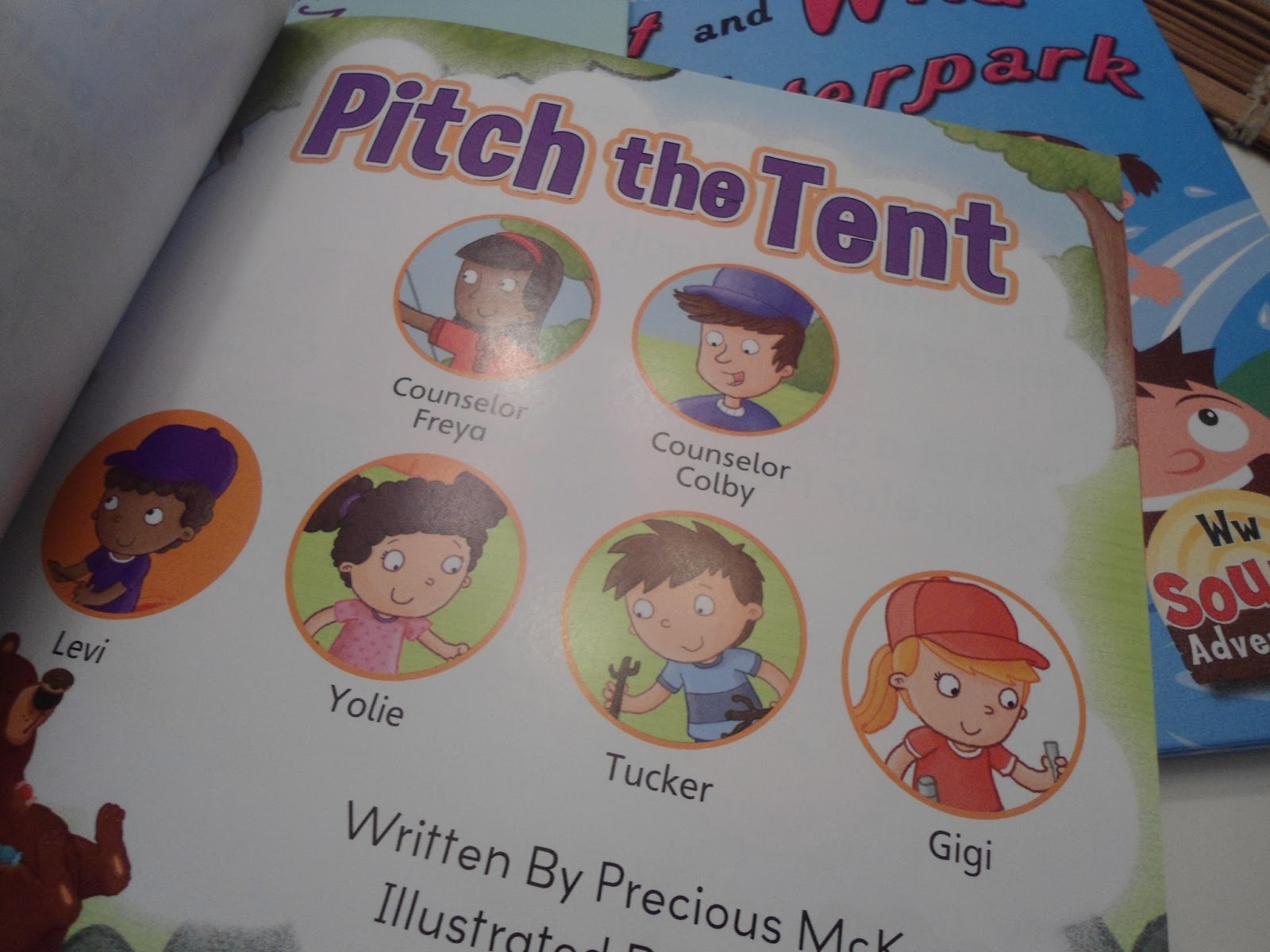
Characters in the story (this is in each book!)

Words to know

Love the glossary that is in each book
How I plan to use them:
-Before we read the book brainstorm words that start with letter that is being focused on in the book.  As we find brainstormed words in the book check them off.
-Many of my students are working identifying characters and setting.  The beginning page that states the characters in the book is a great way to get the conversation going.
-I love the words to know.  Lower level students will be able to match words to know throughout the book (pointing/using wikisticks/post it notes) Higher level students will work on alphabetizing the words to know and then can check their work with the book.
-My 3rd-5th graders are always working with glossary and dictionarys.  This is perfect to extend on the concepts that we are already working on.
-The end of the book is also extension activities.

What great books that I can use in so many different ways to reach so many levels of students (but still use the same book!)  Do you have these Sound Adventure books? If not you can check out http://rourkeclassroom.com  How do you use them?  How do you level your various activities (without creating hundreds of activities)?

I can't wait to check out all of the other ideas for these books through the teacher resources that are going to be available in the upcoming months.

Wednesday, May 8, 2013

Magnificent Monday- #EdCampWaller

So, I have been promising this blog for over a week, but between Teacher Appreciation and just the fact that it is the end of the year.. things get a little crazy.  Speaking of Teacher Appreciation, that is an upcoming blog!  I do have to admit that it is turning out to be a super cute week.

I was pretty excited when I found out that Waller ISD and The Tech Ninjas would be hosting #EdCampWaller in April.  Rafranz and I loaded up the car and were off on a short road trip to Waller, Texas.  We started our #EdCampWaller experience with an awesome tweetup at Cielito Lindo

You can find all of my pictures HERE but of course I threw those all together in an iMovie


I have written about EdCamps before (because I have attended 3 now and Dallas is coming up October 12th)  You can find more information HERE about EdCamps in your area or just more information about them.


With any EdCamp, I think the most exciting thing is to be able to make connections.  It is exciting to connect with a new teacher or even sit next to a national/state presenter that decided to spend their Saturday learning from others.  I loved how this EdCamp Started out with TechNinjaTodd and TechNinjaStacey welcoming everyone and inviting all attendees to sign up on the board with ideas on discussions to lead or topics to engage learners on.  They even stressed that it is okay if it is not tech based!  They also reminded us that there very passionate people in the audience with stories and ideas to share and this was the time to do it. (I mean.. hello.. the audience was filled with passionate learners.. it was on a SATURDAY!)

The first block I went to was over apps and how you used them in the classroom.  It was sort of "roundtable" (but we were in a classroom.. so it wasn't that round) but I got a great list and even better ideas on how to use some apps in my classroom.  I was also able to share a few favorites of my own.  The next block I had a chance to share my passion over using technology in the multi-ability classroom.   Looking back I shared some ideas, but I do need to refocus on creating it as more of a discussion.  The third session of the day I had a chance to listen to Wendy Sanders.  This girl is AMAZING (I know that I say that about a ton of my friends.. but I mean it for each and every one of them)  She is awesome because of her grant writing skills.  In the past few years she has received over $20000 of materials and equipment for her classroom.  How lucky are those kids!  During this session she shared about Donorschoose.org  We discussed different ways to get grants, how to promote a grant, and keeping your tech in the loop of the grants that were received.  She also helped several people set up their own grants.  The last session I sat in on (yes.. it was sitting/standing room only!) was Chris Kesler's over #GeniusHour.  It was inspiring and I look forward to trying this out in my classroom next year.

Of course you can't have an #EdCamp without some FANTASTIC sponsors (which means doorprizes!)  Every person that walked into EdCampWaller walked away with some awesome doorprizes. Check out this sponsor page.  I was pretty pumped to win a Blue Bell Ice Cream Gift certificate that Michael Ogg brought and a cool USB Bracelet from TeachingHistory.org.  I even walked away with Todd Nesloney's new book Spruce and Lucy (and I had it signed by the author)

It was an amazing day of learning. From the students that helped lead sessions to the building that we were able to use for the day, I loved every minute of it.  Have you attended an #EdCamp?  Do you have any summer professional development plans?


Monday, April 29, 2013

Mail Call Monday- The Tech Chicks

I am on this thing called twitter (I know that I never talk about that) So, a couple of years ago I came across The Tech Chicks Podcast  Helen and Anna are some AMAZING tech.. well.. as their name says Tech Chicks.  I remember I had a chance to meet them at TCEA a few months after I found them online... and I am sure that they thought I was crazy when I ran up to them (thank goodness they were wearing Tech Chick Shirts) and introduced myself. I have had the opportunity to catch up with them virtually through their twitter Helen and Anna and through their Tech Chick Tips Facebook page, but also in person.  These ladies are pretty amazing!

So, thanks guys for being my guest bloggers today!


I’m Anna and I’m Helen, and we...have a problem. Well, WE don’t necessarily consider it a problem, but some might. We love gadgets. No, see...you don’t understand...we LOVE gadgets. We can’t really pass up a nifty gadget--you know, those little somethings that make the magic happen, that make the ordinary extraordinary, the tedious easier, and the mundane awesome. And if we were going to be completely honest, even our gadgets have gadgets. And we even have gadgets that support our gadgets. And bags to hold our gadgets. We love to share our gadgets - well, not literally. We WILL share, but we feel a sad pull when we’re separated from them even for a little bit. But what we mean is, we like to share ABOUT our gadgets and encourage others to spend money on gadgets as well. It’s about the economy really. We’re trying to do our part.

So when Andrea asked us to do this guest post, we couldn’t wait to share some of our favorite gadgets and the gadgets that support our gadgets. What started as a few paragraphs turned into more of a booklet than a blog post, so we are going to keep it to our three most-reached-for favorites (maybe a few more if we manage to sneak them in)!

First, a disclaimer...there is nothing to “disclaim.” We are not associated with, nor have we received compensation in any form from any of the vendors we are about to discuss. We just happen to like and use their products. Now, if they WANT to give us anything, who are we to refuse? If that were to happen, we’d add a disclaimer.

So let’s get started. Our favorite gadgets, of course, are our iPads. Or maybe our iPhones or iPad minis or...we’ll just go with iOS devices. That goes without saying for us, so we won’t dwell on why iOS over Android and just talk about the gadgets that support our iOS devices.

One of the things we like about devices in general is that they almost all come with a camera now. We don’t go anywhere without the ability to capture our world. We may not win any awards for our photos, but we sure enjoy the neat things we can do. Our current favorite lens add-on is the Mobi-Lens (http://mobi-lens.com/). This little clip offers a wide angle, fish-eye and macro lens, and it’s not device specific! You can clip it to your iPhone, iPod, iPad or those other devices with cameras. Heck, it will even work with a built-in laptop webcam. You don’t even have to take a device out of its case. We do wish they had a telephoto lens option, but we’re keeping our fingers crossed that it’s just a matter of time.

We both definitely like to use the iPad over a laptop as much as possible. While the virtual keyboard is great, when we’re taking a lot of notes or doing a lot of typing, we want a good external keyboard. Our preferences differ here. Helen like a case/keyboard combo from ZAGG.
I’ve used and liked both the one for the iPad 3rd and 4th gen (http://www.zagg.com/keyboard-cases/index.php#zaggkeys-profolio+ipad-3) and the one for the iPad mini (http://www.zagg.com/keyboard-cases/index.php#zaggkeys-mini-9+ipad-mini). I like the idea of having a case and keyboard combo when I need it. The case is protective and having the keyboard attached increases my productivity on the iPad for tasks that require a lot of text entry. These are one of the few iOS keyboards that have a natural feel and a true QWERTY keyboard layout. The cases also serve to protect the keyboards when I take my iPads out to use them with something else (I lost keys on my first keyboard that didn’t have a protective case).

Anna likes a separate keyboard. I don’t like the extra bulk and weight with my iPad and don’t do nearly as many text-heavy tasks as Helen does. Also, my iPad gets swiped by my kids a lot. When I used a combo case, they would take it off because of the added bulk. Then the iPad would be completely unprotected. I’ve been very happy with a separate keyboard. I use two regularly. I have a a Logitech Tablet Keyboard for iPad (http://www.logitech.com/en-us/product/tablet-keyboard-ipad?WT.ac=ps|8275). They actually make one for the OTHER platform if that’s your preference. It’s a full-size keyboard so no cramped fingers and no keys in weird places. It fits in a little case that doubles as a stand to lean your iPad against. So if I need a keyboard, I have it, but it’s not attached all of the time.

The other keyboard I use is the Logitech Easy Switch (http://www.logitech.com/en-us/product/illuminated-keyboard-for-mac-ipad-iphone?crid=26). OMG! This pretty much stays at my desk at work. My MacBook Pro is propped on a stand with this keyboard in front of it. There are three buttons that allow you to instantly switch your pairing between three different devices. I have my iPad propped up on a stand next to my laptop and my iPhone charging on the other side. I get a text from someone on the OTHER platform that I have to answer on my iPhone since I can’t use iMessage with those, so I quickly toggle the keyboard and --
voilĂ  
-- I’m typing on the iPhone. And then I’m using an app on the iPad and need to enter user information, so I toggle the keyboard and, voilĂ , I’m typing on the iPad! If you’ve ever had to pair and re-pair among multiple devices, you will appreciate the toggles. I LOVE this keyboard! It would be my travel one if it had a case and stand.

Finally, we can’t do without our New Trent everythings. We each have several of their battery chargers and can’t imagine going anywhere without one. The iCarrier (http://www.newtrent.com/store/ipad-external-battery/imp120d-portable-iphone-battery-pack-newtrent-icarrier.html)  is a nice compact size, but a little on the heavy side. It holds a lot of charge--12,000 mAh and features two USB ports; one even powerful enough for the iPad. It’s little brother, the iGeek (http://www.newtrent.com/store/ipad-external-battery/newtrent-igeek-imp99d-portable-battery-pack.html) is a wee bit lighter and carries a wee bit less charge (9,900 mAh). Both of these have special places in our bags and backpacks so that we’ll never be without a good charge when we need it. They also have a svelte baby sister which is much lighter. The actual model we use is no longer available, but the EasyPak (http://www.newtrent.com/store/iphone-external-battery-iphone-portable-battery/newtrent-easypak-nt70t-external-battery-ipad-battery-pack.html) is close. This is a good one for the purse or the bag you always have with you for emergencies. What we like about New Trent over the other brands we’ve tried is the power button. It may not seem like a big deal, but it’s our best guess that this is why the New Trent devices seem to hold their charges so much longer than any of the other brands we’ve used. Even when it’s been a good month since we’ve had to reach for the iGeek or iCarrier, it’s still packing a full or nearly full charge. Whether it’s long days at work, play or travel, we never worry about being without our devices because the battery has died.

We could certainly go on and on about our gadgets and the gadgets for the gadgets and the gadgets we wish we had and the gadgets we wish existed, but we’ll spare you the ramble. We thought it better to share those go-to items we don’t like to ever be without. Thinking back to our initial point, let’s not think of it as a problem. Let’s think of it as celebrating inventiveness, inspiring creativity, and supporting the economy. Jump on the gadget wagon and share your favorite, can’t-live-without, go-to gadgets!

Sunday, April 14, 2013

Magnificent- #Quest2Matter and Movie-Spring Cleaning Monday!


Magnificent Monday is all about Choosing 2 Matter!  I have had the opportunity to guest blog for Tim Holt.  I of course had to talk about International Dot Day and #Choose2Matter.  I so agree that it is so very important to remind those around us that they are important, but also continue students and adults alike to make their mark in this world.  Angela Maiers is on another mission and this one is MAGNIFICENT!


Quest2Matter

 "The Quest2Matter will spread the "You Matter" message to millions of students around the world   and inspire them to act to change our world." from the Student Launcher Quest2Matter site
As I look around at the students that I come into contact with from teaching, Destination ImagiNation, Girl Scouts and the various other activities I am involved in... I hope that I have taught them one very important thing.  That is to have manners.  Not just please and thank you, but manners of being kind to one another and reminding others they are important.  I think this is why #Choose2Matter and #DotDay hit such a chord in my heart (and have for some time now)  Each one of us is faced with so many hardships.. ones that might not be a hardship to others.. but a hardship none the less.  We all need encouragement.  #Quest2Matter is giving students the opportunity to share with others that They Matter.
"The Quest2Matter is a five-week, student-focused initiative that seeks to inspire students to tackle problems that break their heart. This is an unprecedented opportunity to unlock the potential of students to think entrepreneurially and innovatively and use modern tools to solve problems that break their heart."
As the website says, it is a beginning.. but not an ending.  The world is hard, and it is only going to get harder.  If we can remind others that they are important, but also encourage students to make a change. It doesn't matter what age you want to change the world.. you just need to do it!  Thank you Angela for sharing something so very important and encouraging others to do the same- #YouMatter

Want to know more? Introducing Quest2Matter
How can you help? Check out the Student Launcher Page
Want to be a student intern? Quest2Matter

Have you reminded anyone lately that they matter? Do you know a student that this would be perfect for?


I couldn't miss a movie Monday! This week is all about spring cleaning. You can find more information on my upcoming blog for the Follett Software Company.  You can also check out some of my other blogs while you are there.

This week my movie is over Spring Cleaning!  Our school is going through renovation this summer, so we have to have everything moved out by the day after the last day of school!  I am an organizer anyway, but what better motivation to clean and your organize your room than moving.

Are you spring cleaning?  What are your tips?